
【Infinite Series Vol.1】
Auto-Grading & Print Ready! “Infinite! 100-Square Math”
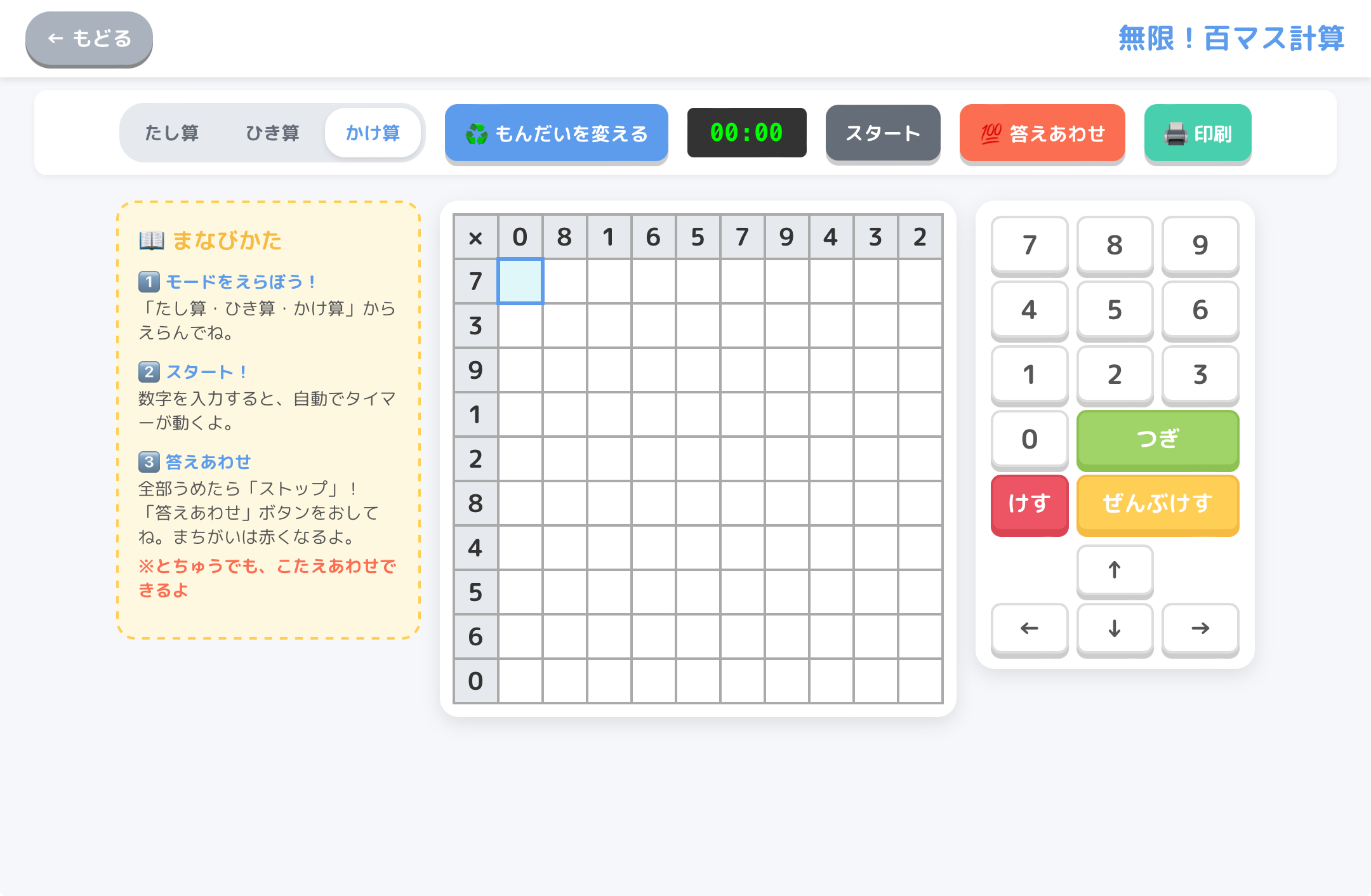
“Making fresh 100-square math worksheets every day is exhausting…”
“Grading 100 squares makes both teachers’ and students’ eyes tired…”
Are you experiencing these struggles in your classroom?
As the very first installment of Deji-Lab’s new 【Infinite Series】, we have created the ultimate tool to blow those worries away: “Infinite! 100-Square Math”!
(For Teachers: Includes Print Button)
*No installation required. Completely free to use immediately.
✨ 4 Amazing Features of This App
1. Infinite Problems with a Single Button!
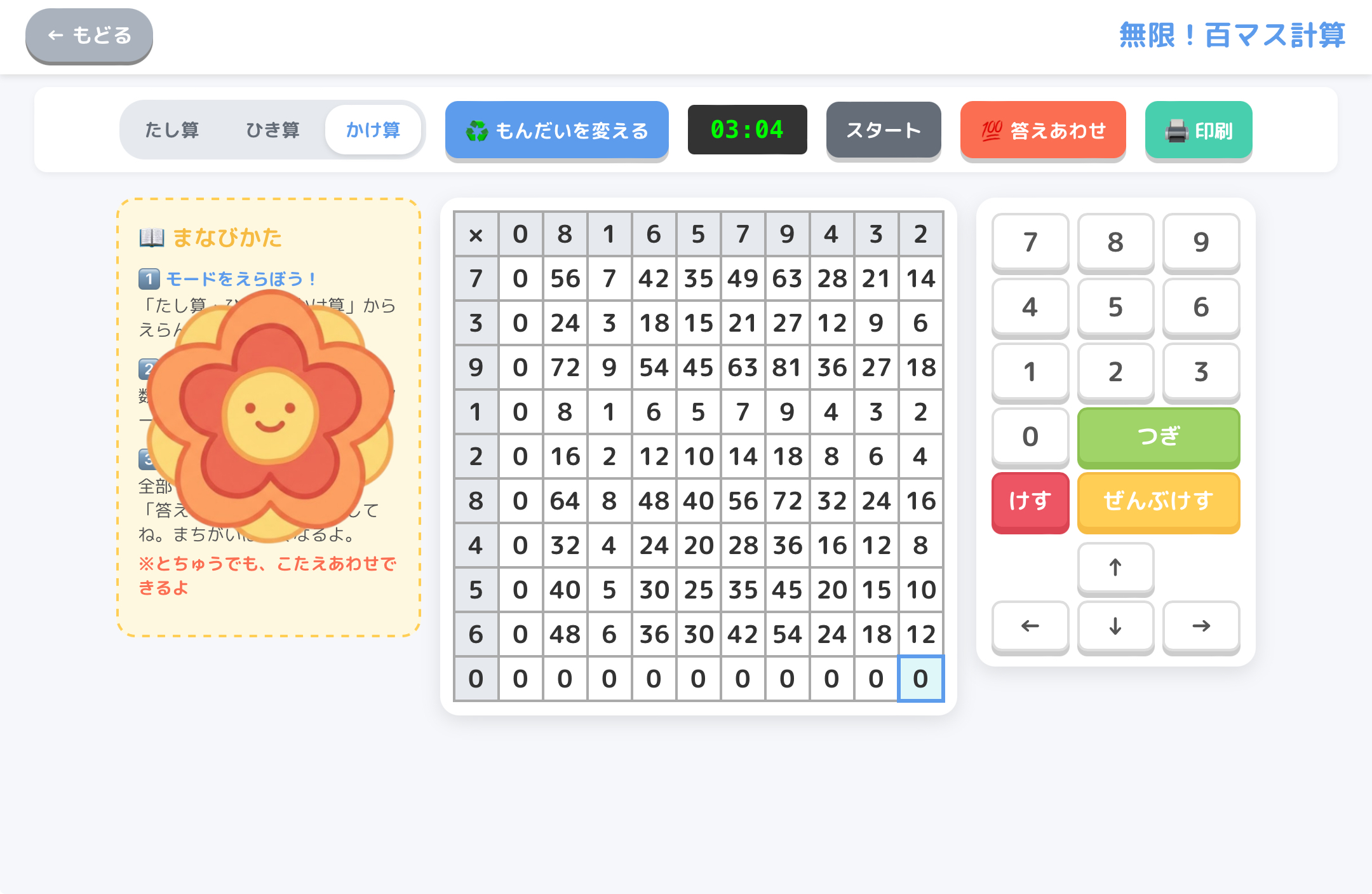
Just press the “Change Problem” button, and the vertical and horizontal numbers shuffle instantly! You can challenge fresh problems as many times as you want.
With three modes—”Addition,” “Subtraction,” and “Multiplication”—you can quickly switch to match the grade or unit you are teaching.
2. Solve Directly on Tablets with Auto-Grading!
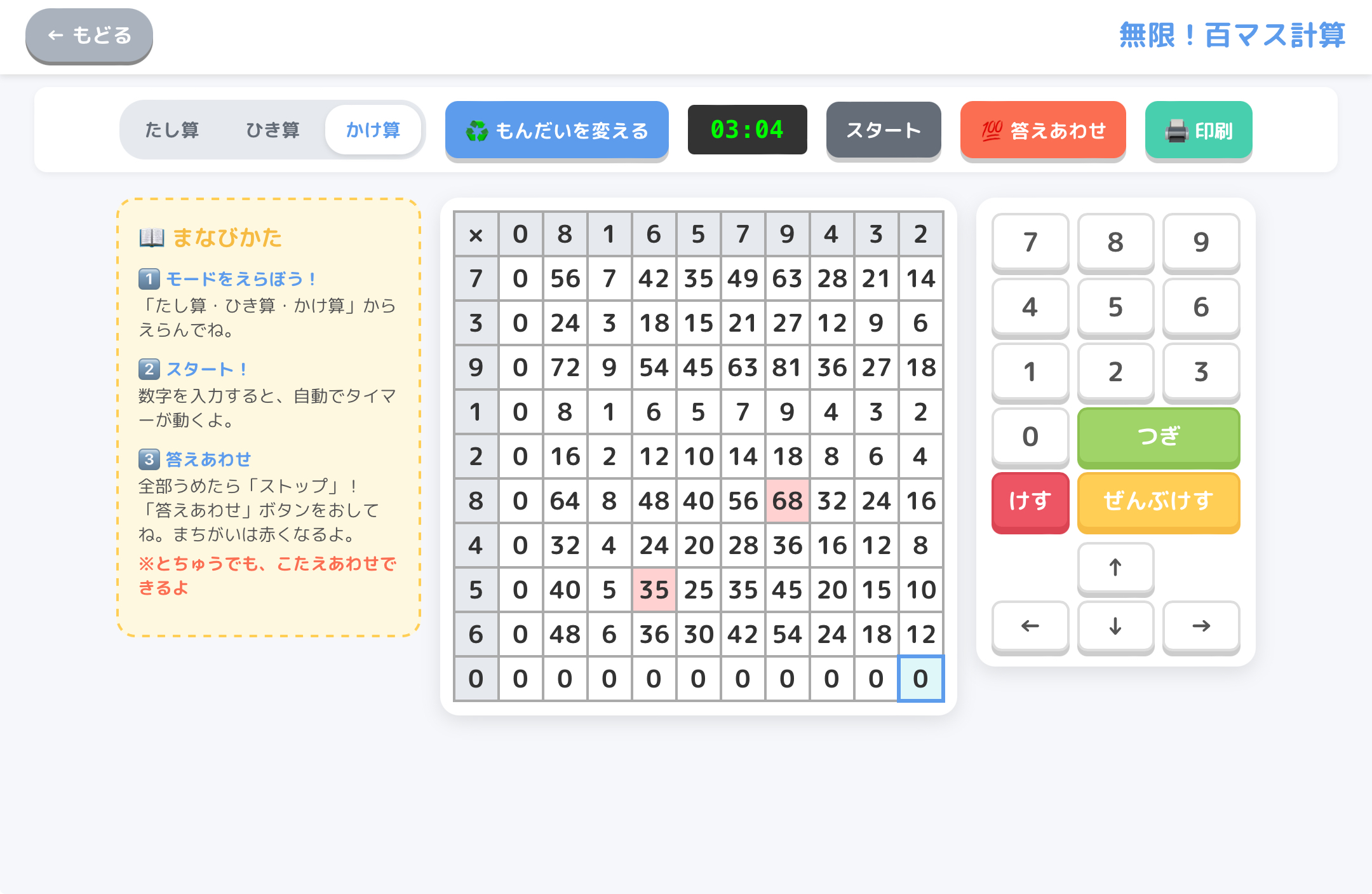
Start calculating right on the web! Once you type a number on the keyboard, the automatic timer starts running.
When you finish everything and press “Check Answers,” only the mistakes turn red. If you get a perfect score, a giant “Hanamaru” (flower mark) pops up on the screen! You can also check your answers midway, allowing students to learn at their own pace.
3. God-Tier Feature! Instant Double-Sided “2 Sets of Problems + Answers”
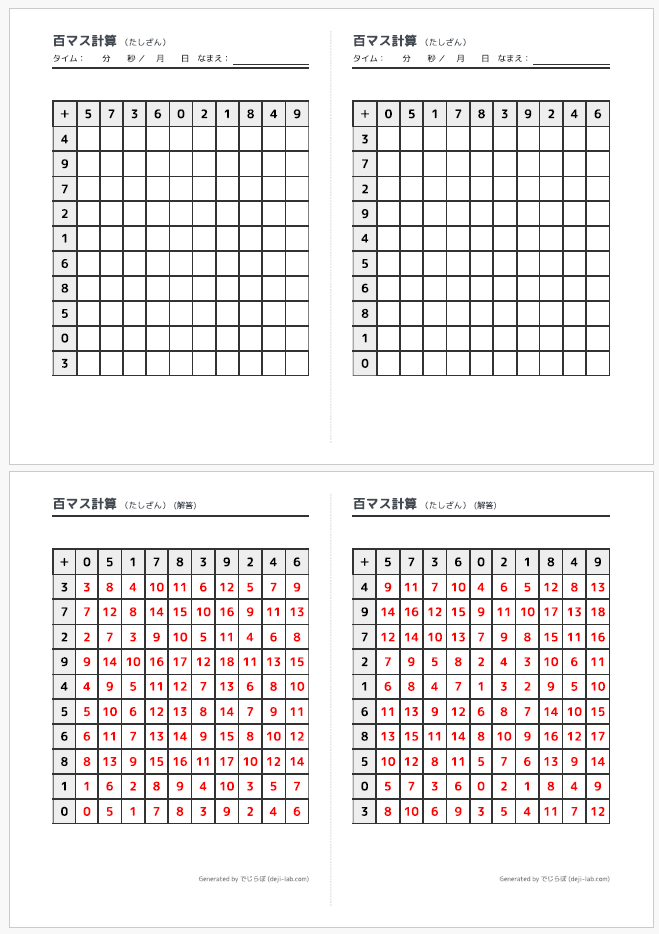
This is the feature we want teachers to use the most! Press the “Print” button to generate a worksheet perfectly sized for landscape A4 paper.
Two different sets of problems are printed on the left and right. Just print double-sided (short-edge binding) and cut it in half with a paper cutter to instantly create two types of mini-tests with the correct answers on the back! A god-tier specification designed from a teacher’s perspective!
4. NEW! “Universal Design Print” for Left-Handed Students!

What caught our attention from classroom feedback was the issue that “Left-handed students struggle to calculate because their writing hand covers the numbers (headers) on the left side of the grid.”
To solve this, we have newly added the “🖨️ Print for Left-Handed” button!
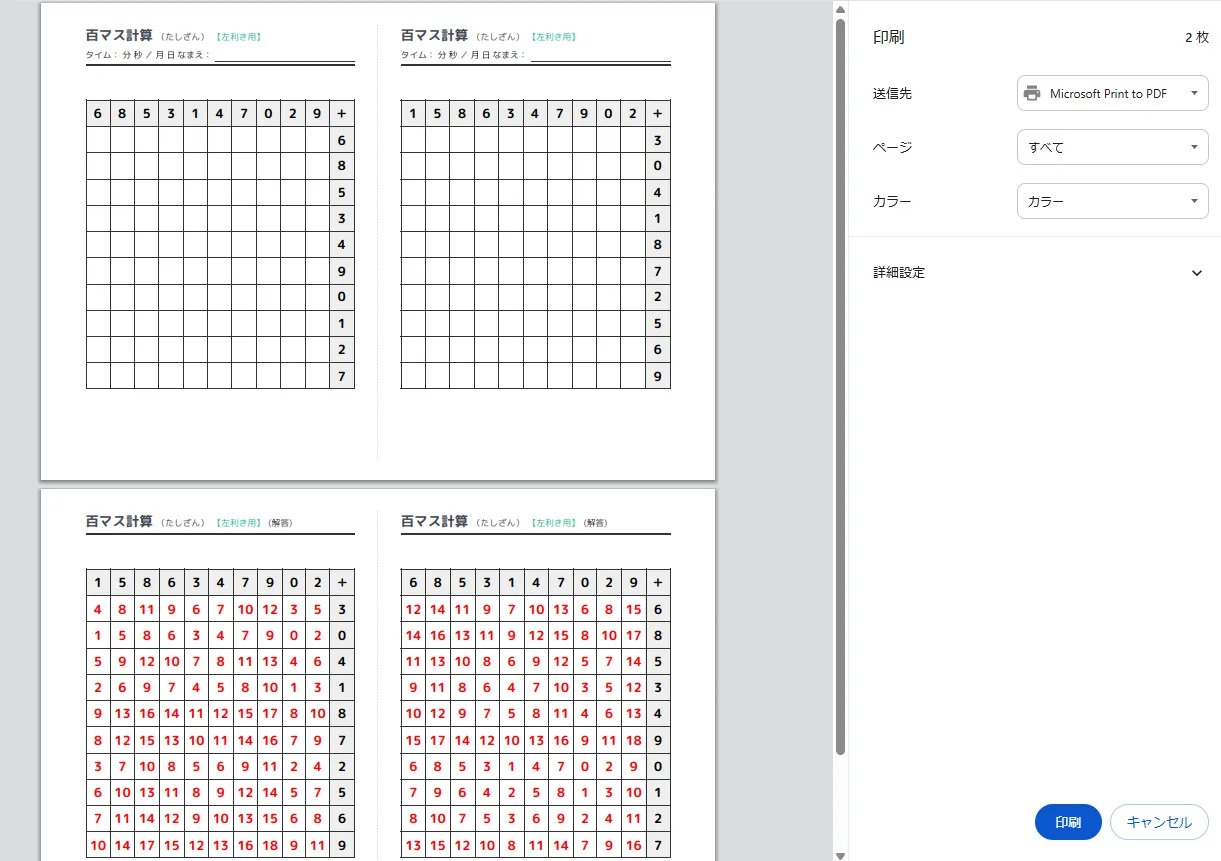
With just one press of this button, a worksheet with the exact same problems but with the “headers moved to the right side” is instantly completed! Left-handed children can now concentrate on their math stress-free without having to lift their hands. You can easily distribute these thoughtful, inclusive worksheets!
📖 How to Play & Use
- STEP 1: Choose a mode from “Addition, Subtraction, or Multiplication.”
- STEP 2: Type in a number to start! Use the “Next” button on the keyboard to move smoothly.
- STEP 3: Once filled, “Stop” and “Check Answers”! Aim for the Hanamaru!
When opening the app from “Deji-Lab Kids“, the “Print” button is automatically hidden to prevent accidental clicks by students, and the home button safely returns them to the Kids page.
Curriculum Guidelines Connection (2017 Notification)
- 2nd Grade Math A(1) Addition & Subtraction: Calculation Proficiency
- 2nd Grade Math A(2) Multiplication: Multiplication Tables (Kuku)
- Codes: 8251200540000000 (Addition/Subtraction) / 8251200570000000 (Multiplication)