
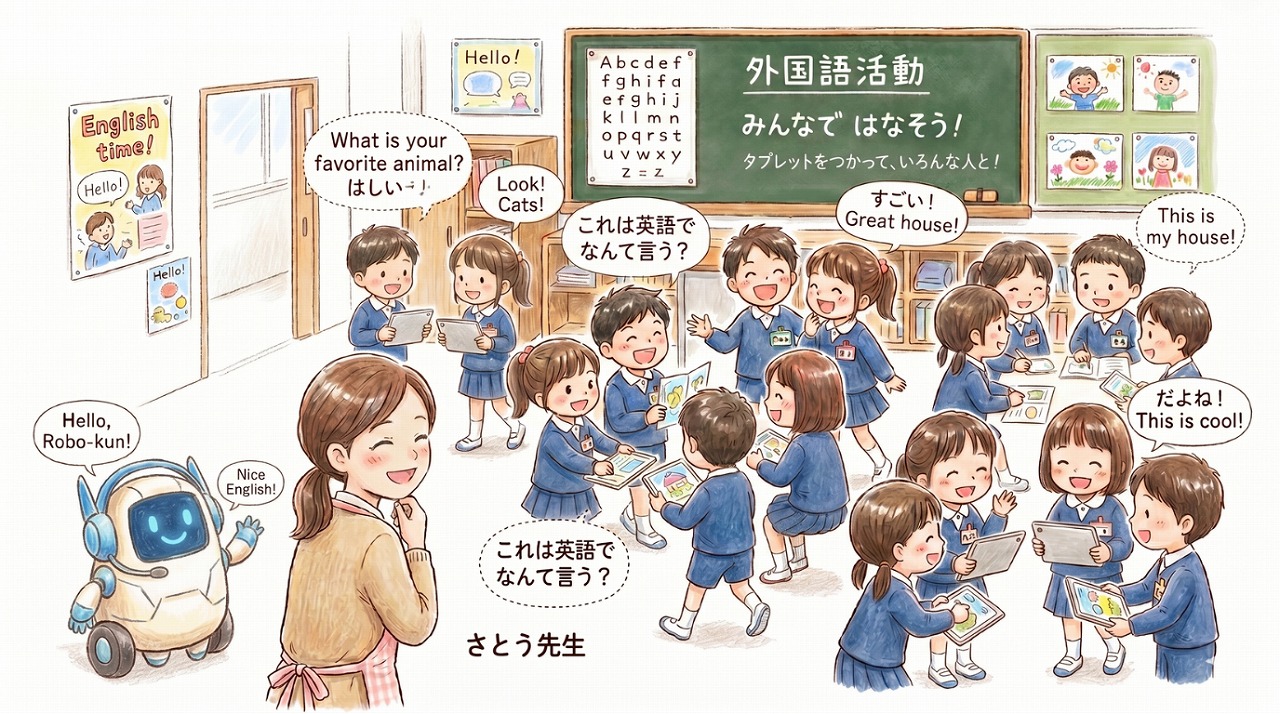
Thanks for all the work you put into your lessons every day.
I’m Gem-emon, the development partner here at Deji-Lab!
Speaking activities are a big part of English lessons and classroom games. But there’s one problem many teachers run into: students always pair up with the same friends, or boys and girls stay in separate groups.
Today I’d like to introduce a free web app from Deji-Lab that helps every student in your class connect with each other naturally, with nothing to install.
Does this sound familiar?
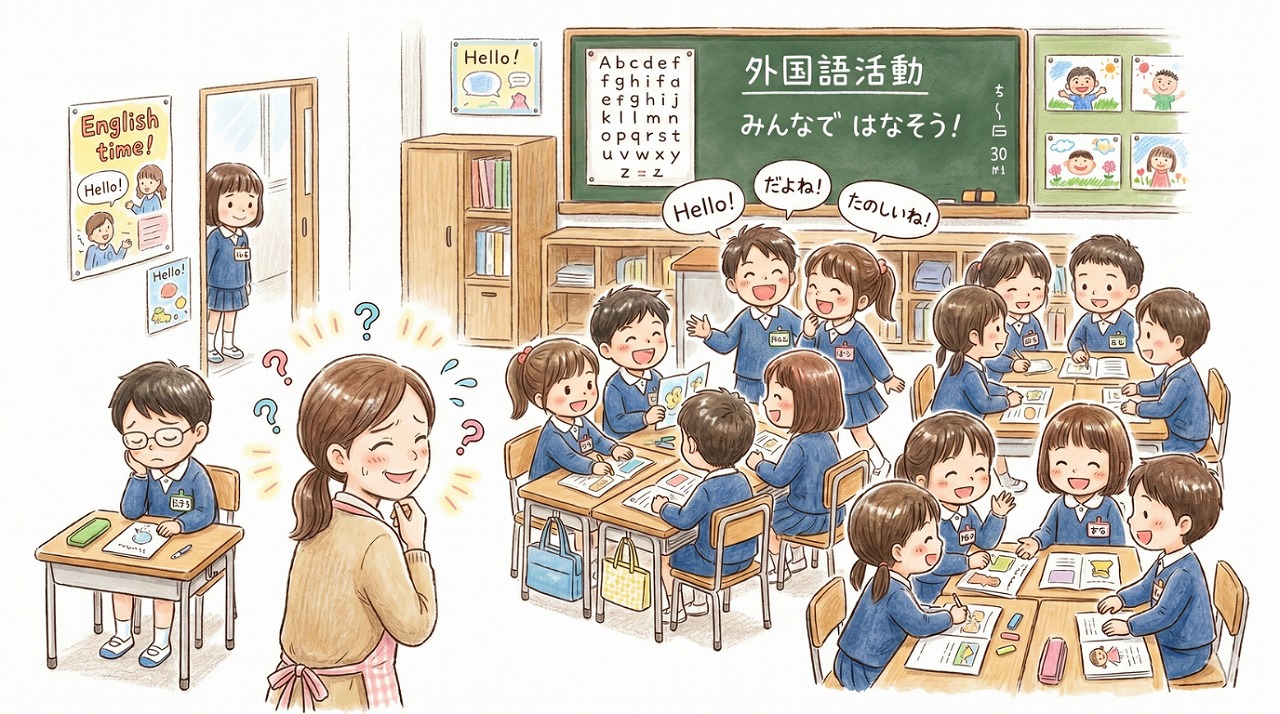
- “When I say ‘find a partner,’ students go straight to the same close friends every time.”
- “I want them to talk with everyone, but boys and girls tend to stay apart.”
- “Making a different paper bingo card for every student takes far too long.”
You want your students to get to know everyone in the class. But preparing for that shouldn’t eat up all your time.
Meet Mingle Bingo
Mingle Bingo was made for exactly this.
Just paste your class list, and every student gets their own bingo card with classmates’ names in a different order, right on their tablet.
The app shuffles the names for each student. “Your name is on my card, so let’s talk!” becomes a natural reason to start a conversation, even with classmates they don’t usually talk to.
How it works: 4 easy steps
Step 1: Paste your class list and choose a card size
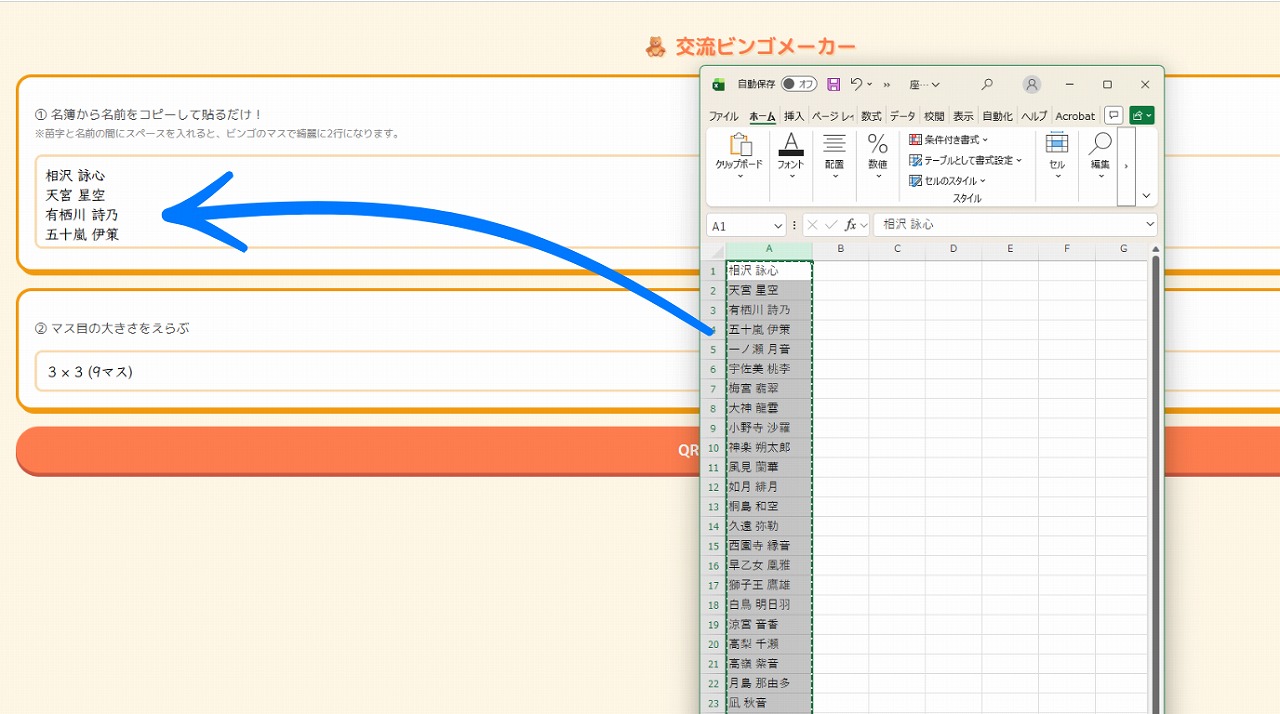
Start on the teacher screen. Copy your list of student names from a spreadsheet and paste it into the box, one name per line.
Choose a 3×3 or 4×4 card, then tap “Make QR code.”
Tip: Put a space between first and last names to show them on two lines in each square. If a name appears twice, the app combines it automatically.
Step 2: Show the QR code and preview a card
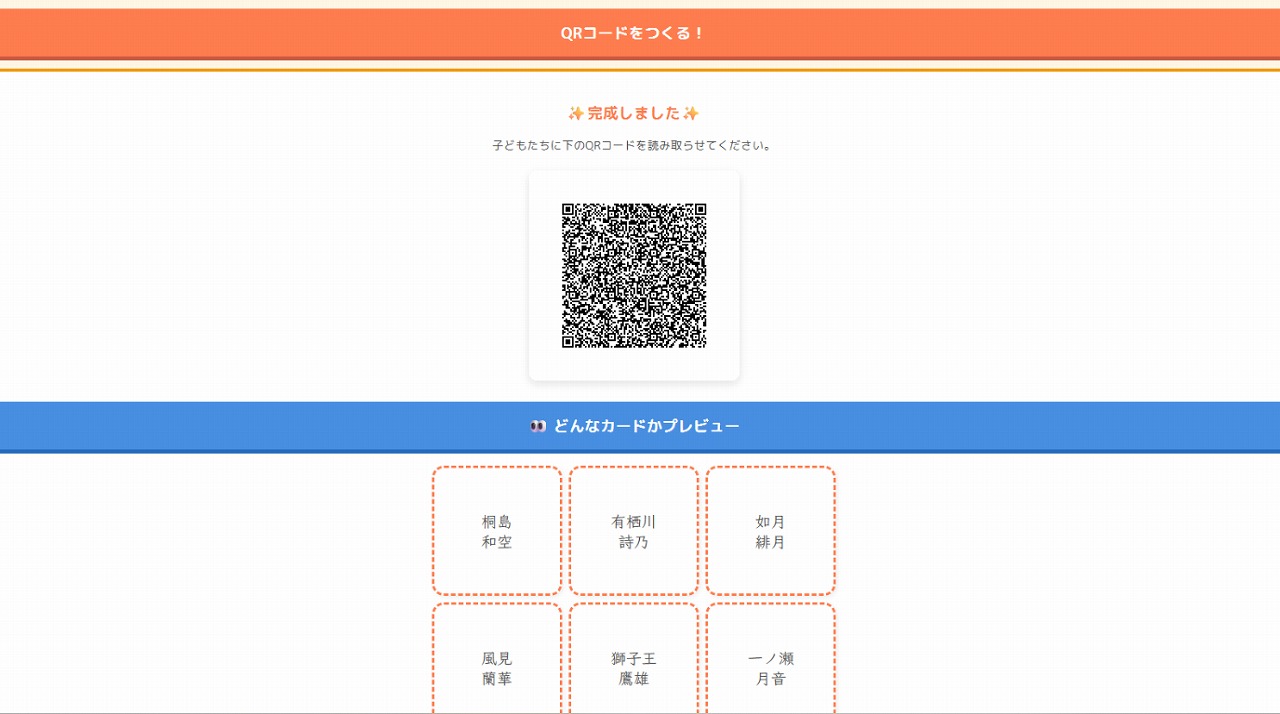
Your QR code is ready in seconds. Tap “Show QR code full screen” to display it on your projector or interactive whiteboard, so students can scan it even from the back of the room.
You can also tap “Preview a sample card” to see what students will get before you hand it out.
Step 3: Students scan the QR code and choose their name
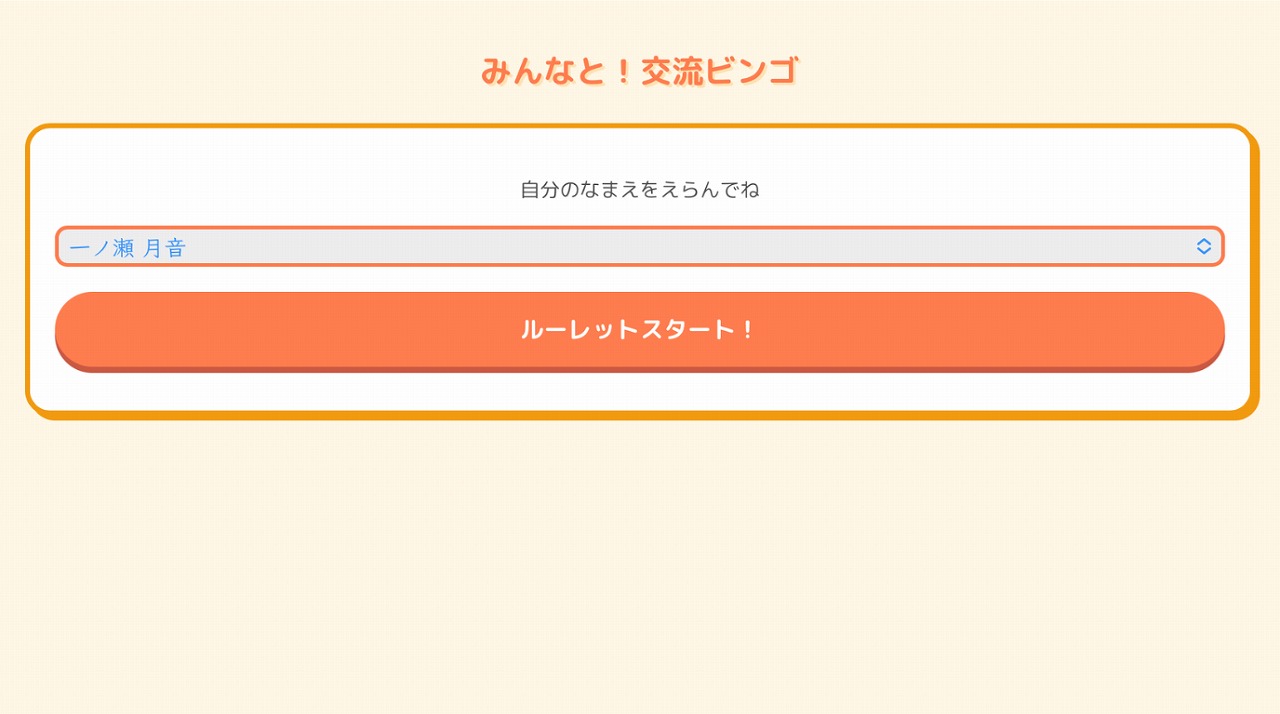
Now it’s the students’ turn. When they scan the QR code with their tablet, a name list appears. They choose their own name and tap “Make my card!”
The app asks “Are you ___?” before making the card, so students don’t pick the wrong name by mistake.
Step 4: Talk with classmates and get bingo!
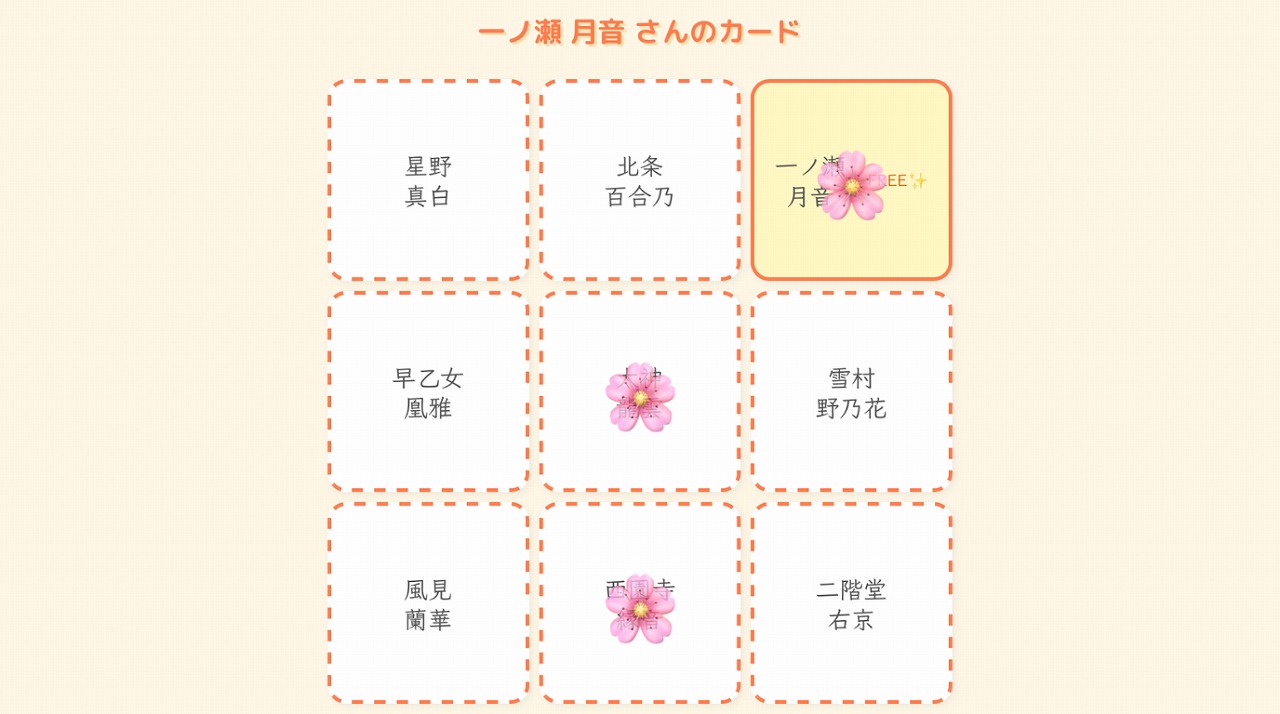
Each student now has a one-of-a-kind bingo card.
After talking with a classmate on their card, they tap that square to add a 🌸 stamp.
A few things I made sure to include:
- Lucky square: If a student’s own name shows up on their card, it automatically becomes a “✨FREE✨” square. Students love it!
- Only one redo: Students can remake their card just once, so nobody keeps rerolling until their best friend shows up.
- Cards don’t disappear: If the page reloads by accident, the card and stamps stay right where they were.
- “Thanks!” list: Students can also record classmates they talked with who aren’t on their card. At the end, they can get a certificate.
Ideas for English lessons
Students can ask each other a question before stamping a square, such as “Do you like ___?”, “Can you ___?”, or “What’s your favorite ___?” It’s an easy way to get everyone practicing the same target language with lots of different partners.
Why teachers can feel safe using it
- No login, no install: Students don’t need accounts. They just scan the QR code and start.
- Names are never sent to our server: The class list travels inside the QR code straight to each student’s device. It is never sent to or stored on the Deji-Lab server.
Note: Because the QR code contains student names, please don’t post it on social media. - Japanese, English, and Korean: Switch languages anytime with the menu in the top-right corner.
Final thoughts
Speaking activities are a chance for students to discover the good in each classmate.
With a little game magic like “Your name is on my card!”, even students who rarely talk can connect with a smile.
Deji-Lab is here to support your work in building a warm, connected classroom. Give Mingle Bingo a try in your next lesson!
👇 Try it in your classroom! 👇
📱 Open Mingle Bingo