
Let’s Discover What Our Friends Can Do!
Have you ever wondered how to make your elementary English classes more interactive, natural, and fun for your students?
We are thrilled to introduce “I Can Networking Bingo!”. This app focuses on the English word “can” and helps students discover unexpected talents and skills among their classmates. Preparation is incredibly easy, and no account registration is required! As long as you have a GIGA school tablet, you can start this smile-filled activity right away.
✨ How to Use: 3 Easy Steps
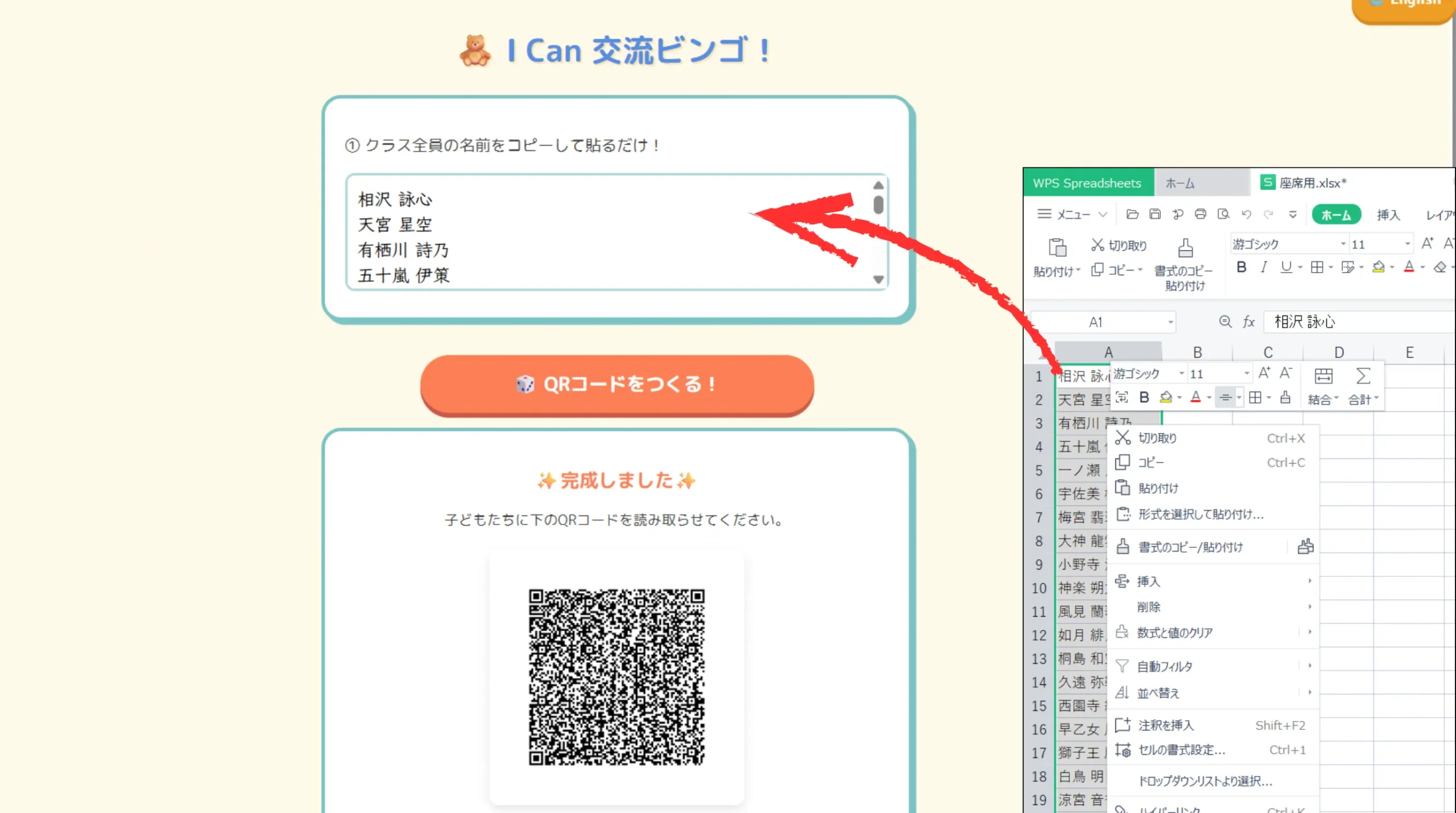
1Copy & Paste the Roster (For Teachers)
Preparation takes only seconds. Simply copy and paste your class roster into the teacher’s screen, and a unique QR code is generated instantly. No need to create accounts for each student!
2Create Your Custom Card! (For Kids)
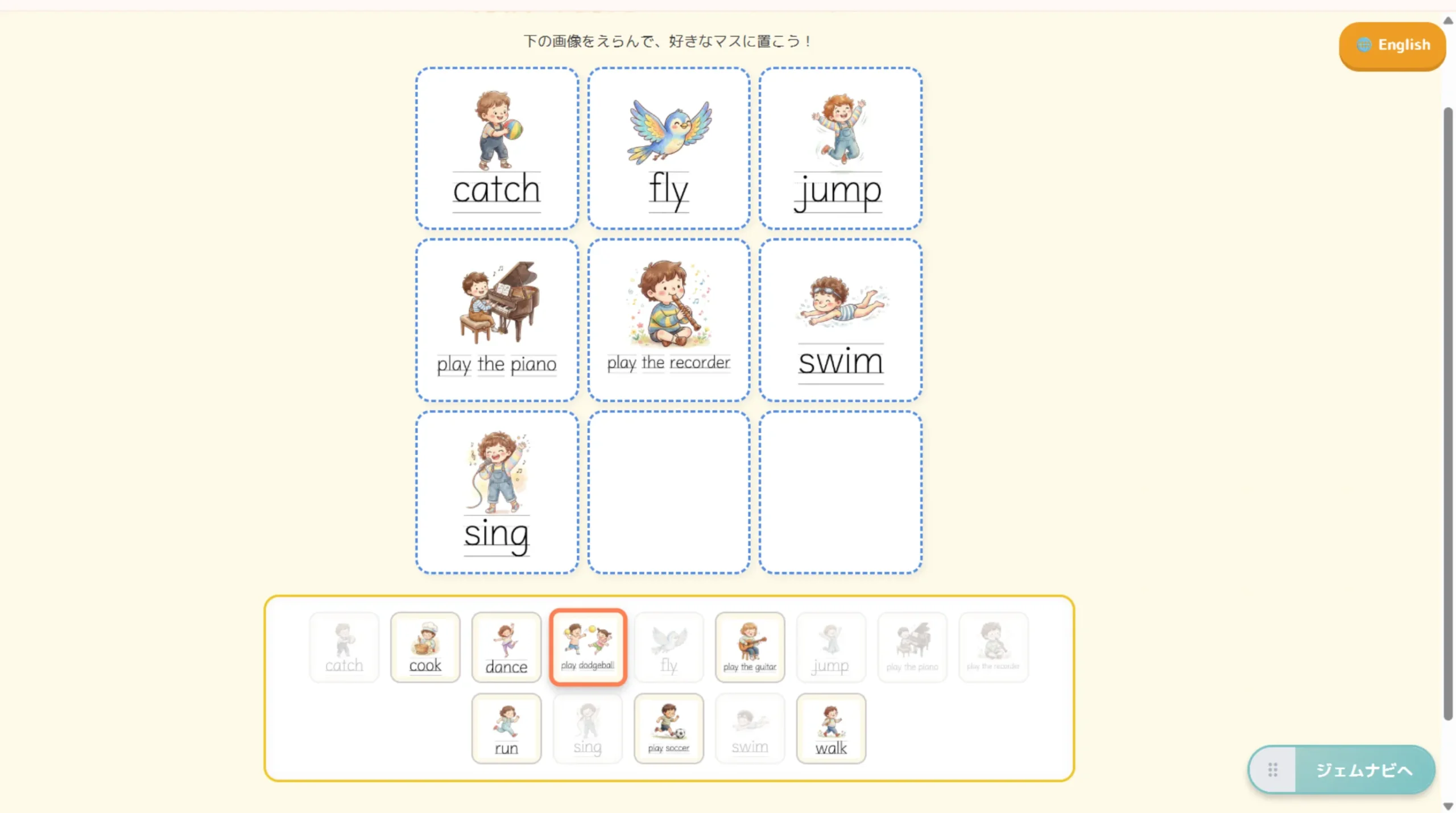
After scanning the QR code, students create their own bingo cards. They can choose from 14 warm, hand-drawn illustrations (like walk, run, cook, sing) and tap to place them in the 9 squares. Building their own unique card boosts their motivation to participate.
3Interact using “Can you ~?”
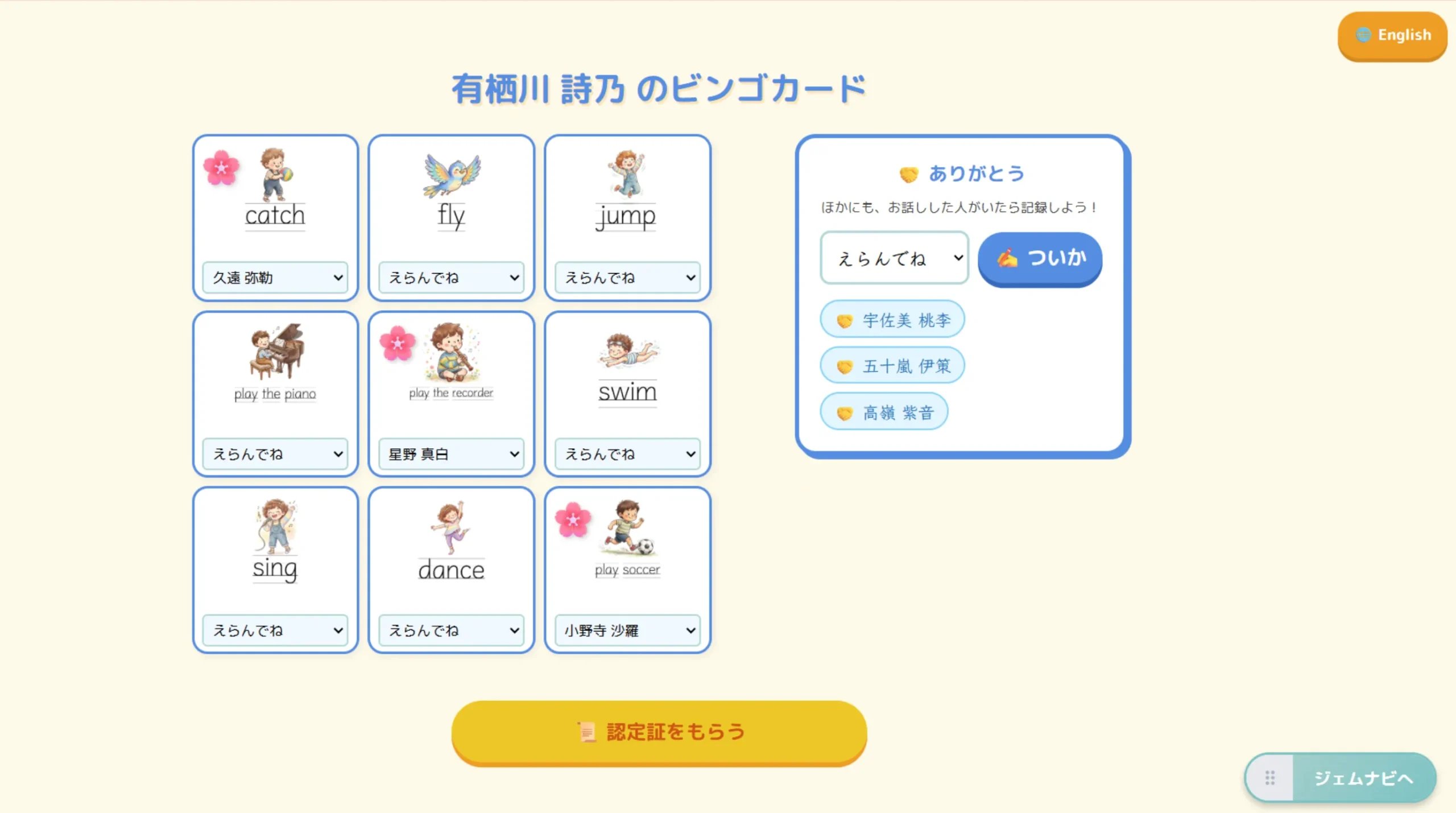
Once the cards are ready, the networking begins! Students walk around asking, “Can you sing?”. When a friend answers “Yes, I can!”, the student selects that friend’s name from the drop-down menu on the corresponding square. A cute “🌸” (flower) mark will bloom on the card!
💡 Key Features: Fostering a Warm Classroom
The “Thank You” Space
The goal isn’t just to fill the 9 squares. We’ve included a special “Thank You” space where students can write down the names of friends they talked with outside of the bingo requirements, fostering gratitude and a positive classroom atmosphere.
Endless Customization
Using the “Custom URL” mode, teachers can input URLs of their own original images (e.g., created in Canva). This allows you to adapt the bingo game to completely different vocabulary sets and units!