
Do your students know on, in, under, and by on flashcards, but get stuck in a real scene?
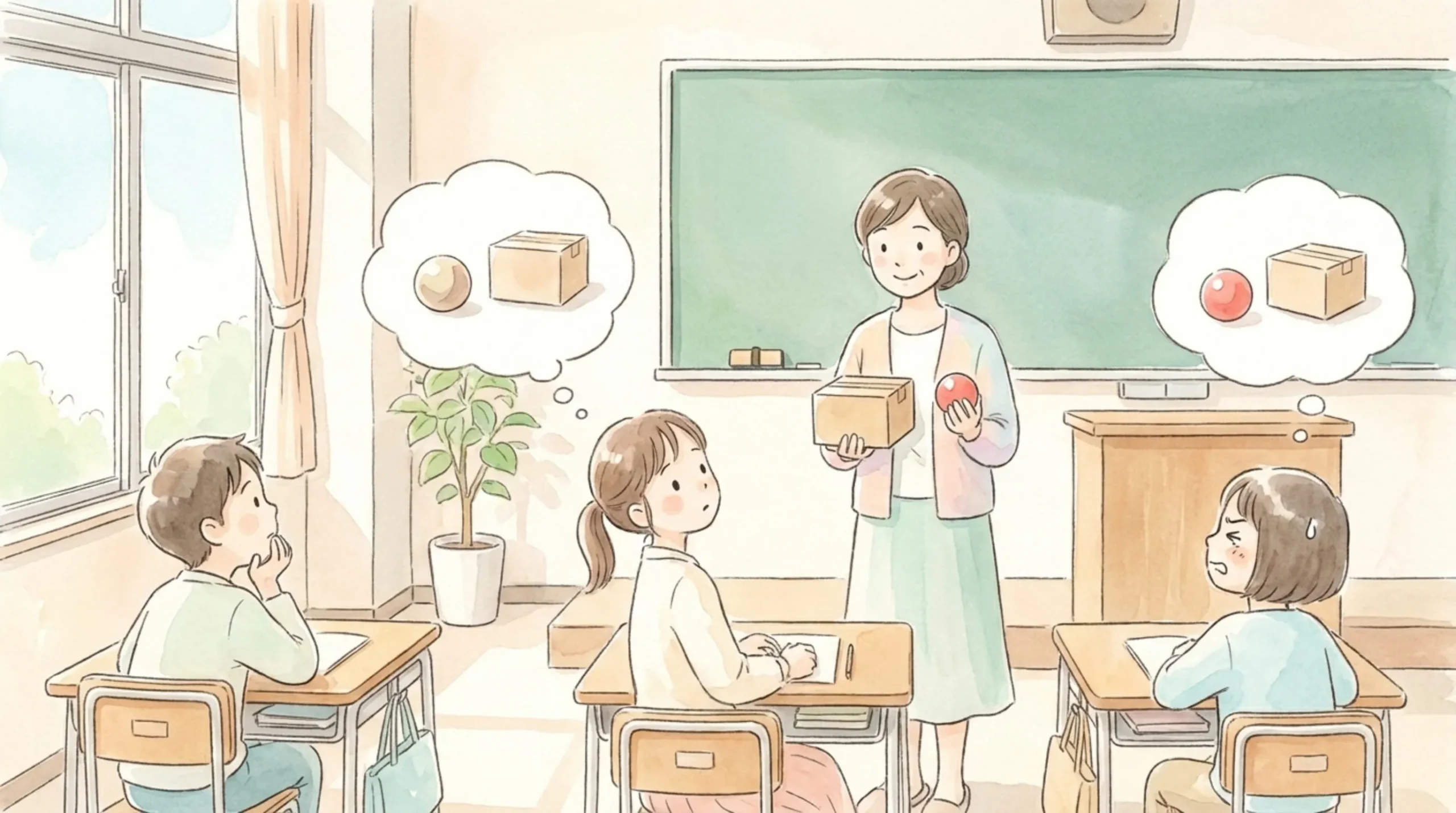
“I always mix up under and by…”
“Just showing picture cards and having them repeat gets boring so quickly…”
Does this sound familiar when you teach words for position?
Thank you for all your hard work preparing lessons every day!
I’m Gem-emon, the development partner of Deji-Lab!
Even when children memorize on, in, under, and by with cards, they often hesitate when someone asks, “Where is it?” in a real scene. What really matters is hearing, saying, and exchanging these words again and again in many different scenes.
That’s why I made “Where’s Gem-emon? ~on, in, under, by~”, an English app where I hide in all sorts of places!
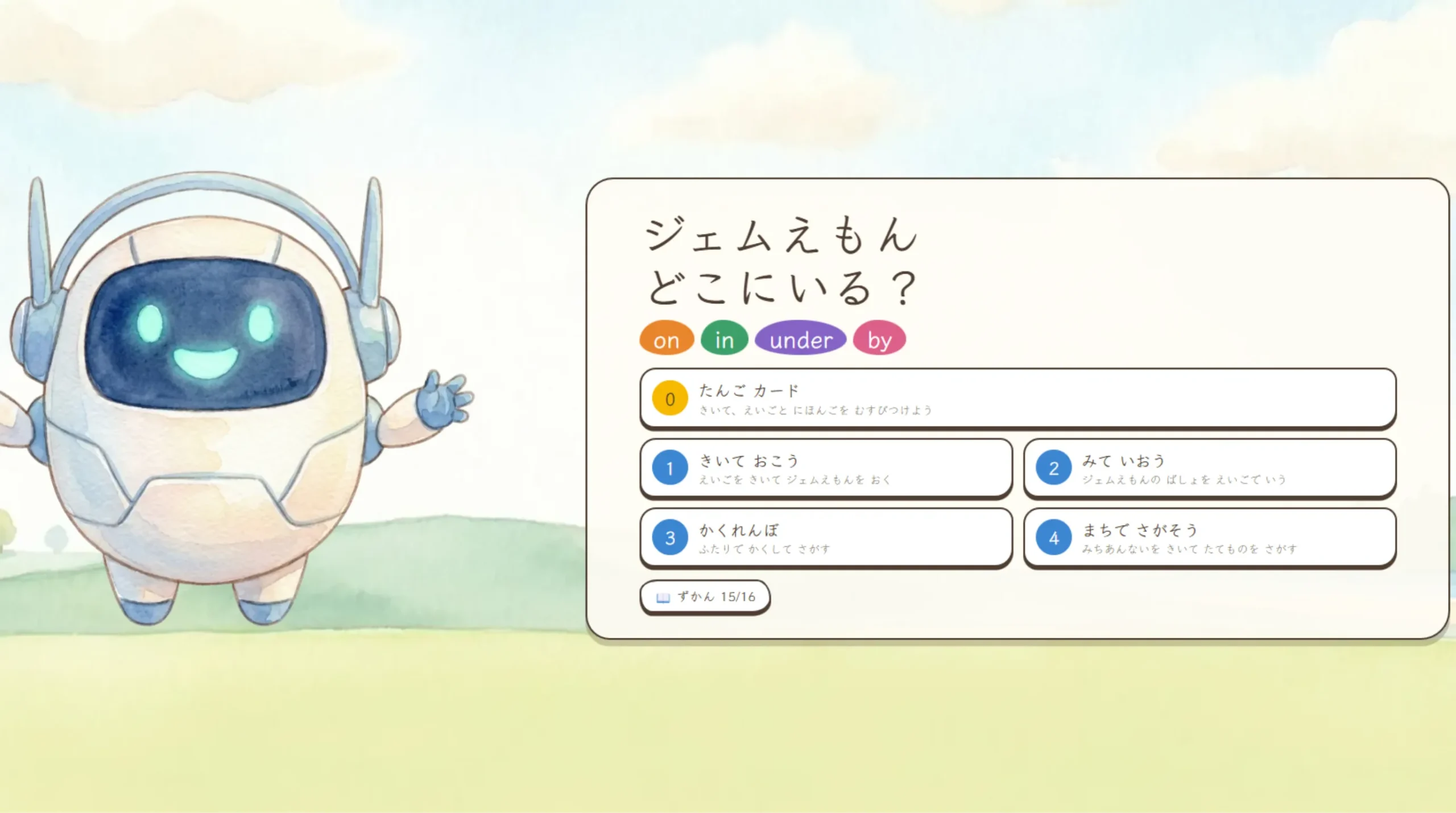
Students move up step by step — Word Cards → Listen and Place → Look and Say → Hide-and-Seek — and finally reach real communication with a classmate.
* The app was made for elementary schools in Japan, so the on-screen instructions are written in Japanese (hiragana). The activities themselves are built around English audio and pictures.
3 Key Features of This App

1. 6 worlds × 5 objects — a different scene every time!
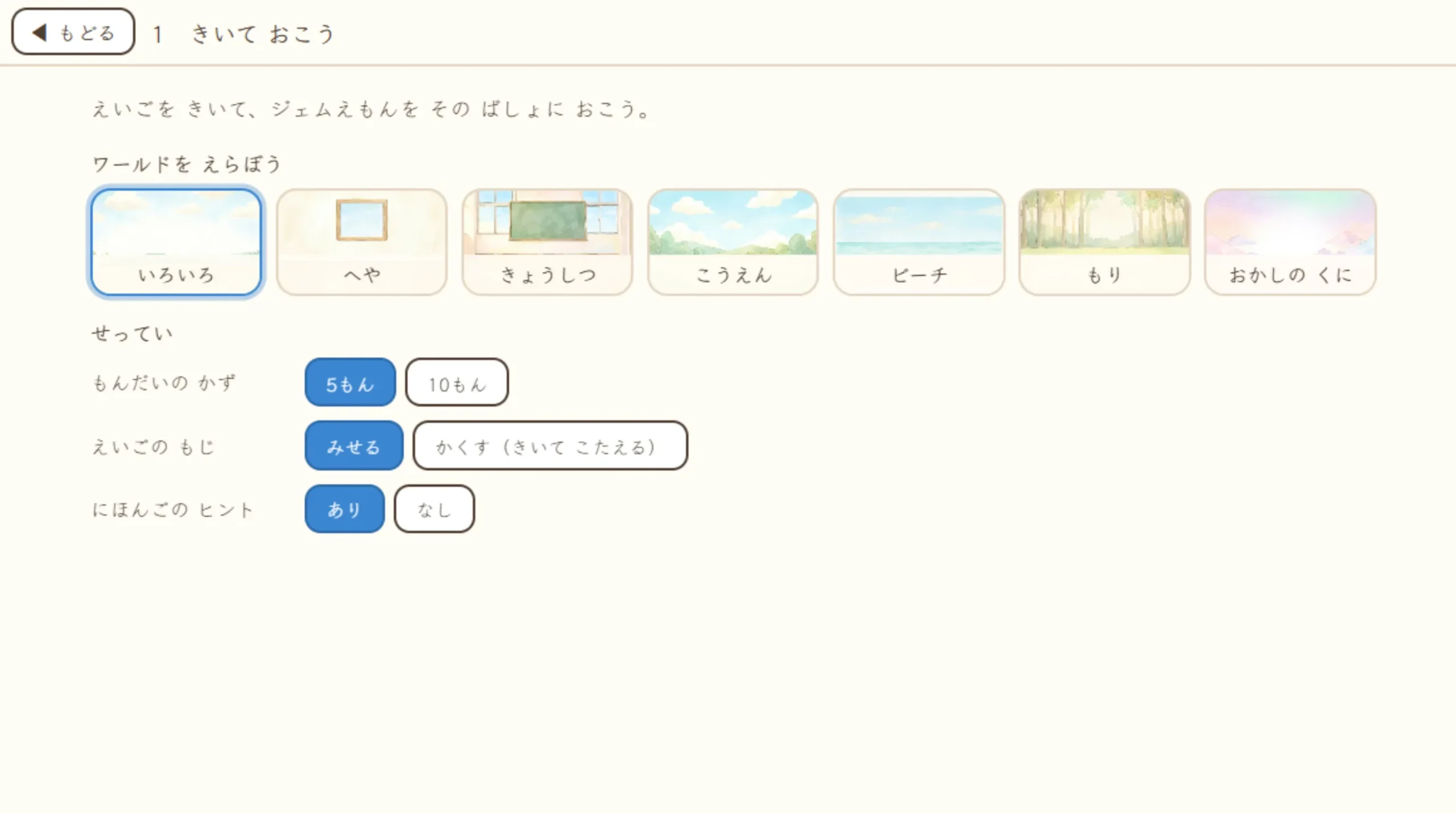
There are six worlds: a room, a classroom, a park, a beach, a forest, and candy land. Each world has five objects, and my hiding spot changes every time, so the game stays fresh no matter how many times you play.
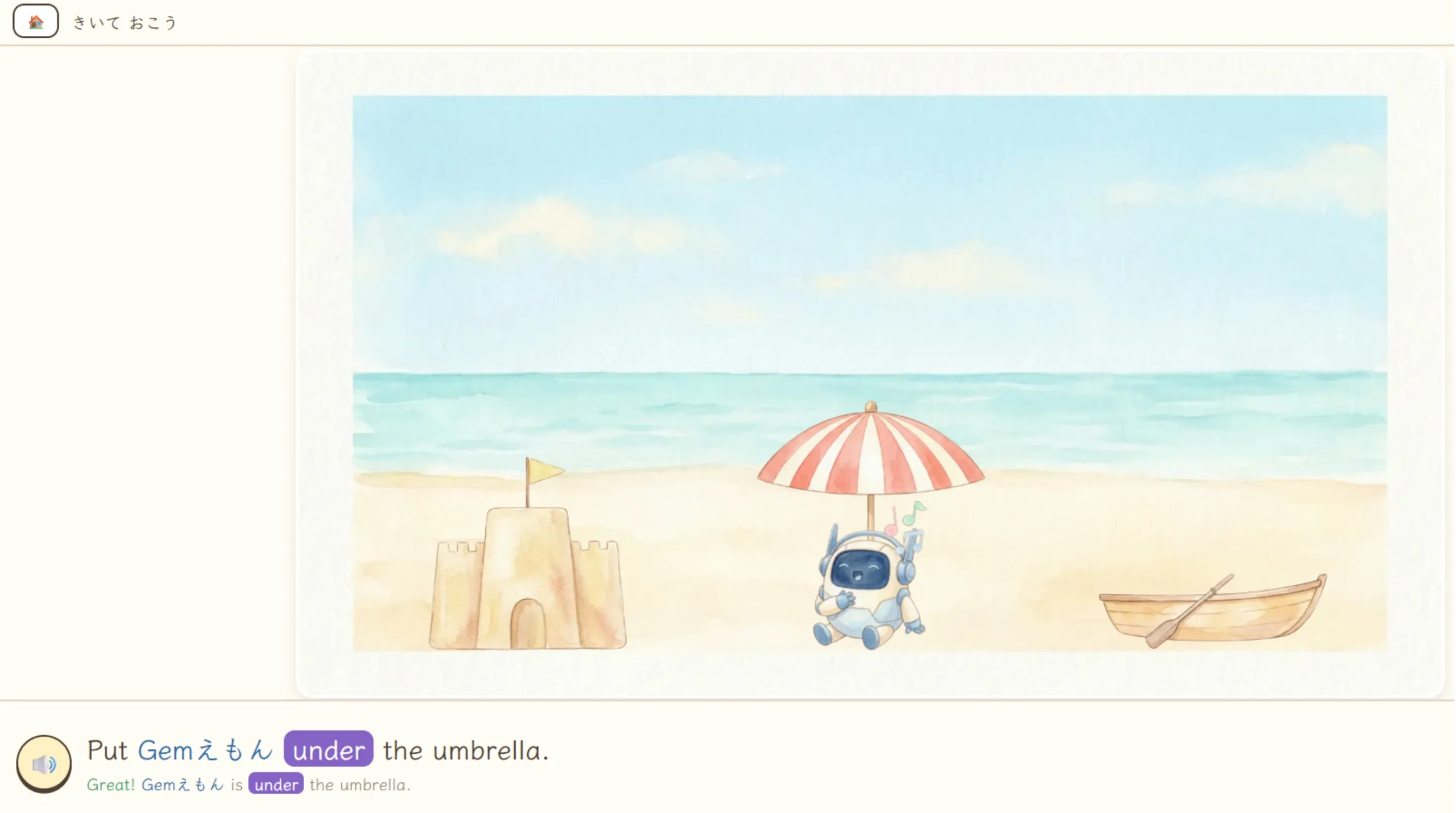
Each object only uses the words that make sense for it. For example, you can’t get inside a chair, so “in” never appears with the chair.
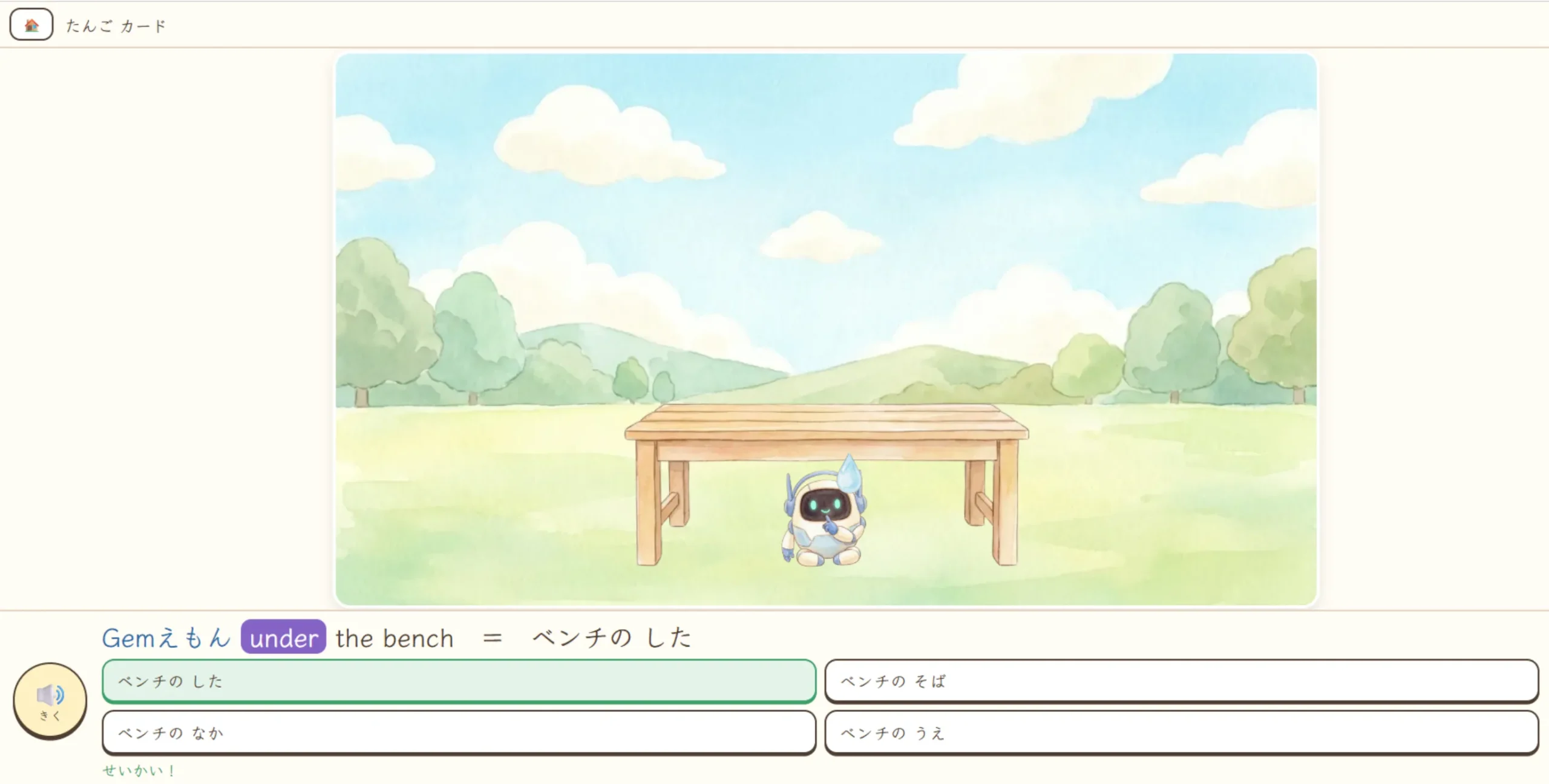
On top of that, the app automatically measures each illustration and places me exactly where I should be — on the top of a desk, inside a box, in the gap under something, or right beside it. It really looks like I’m in that spot, so students can always tell the correct English just by looking at the picture.
2. Dancing “on,” whispering “under” — my reactions make the words stick!
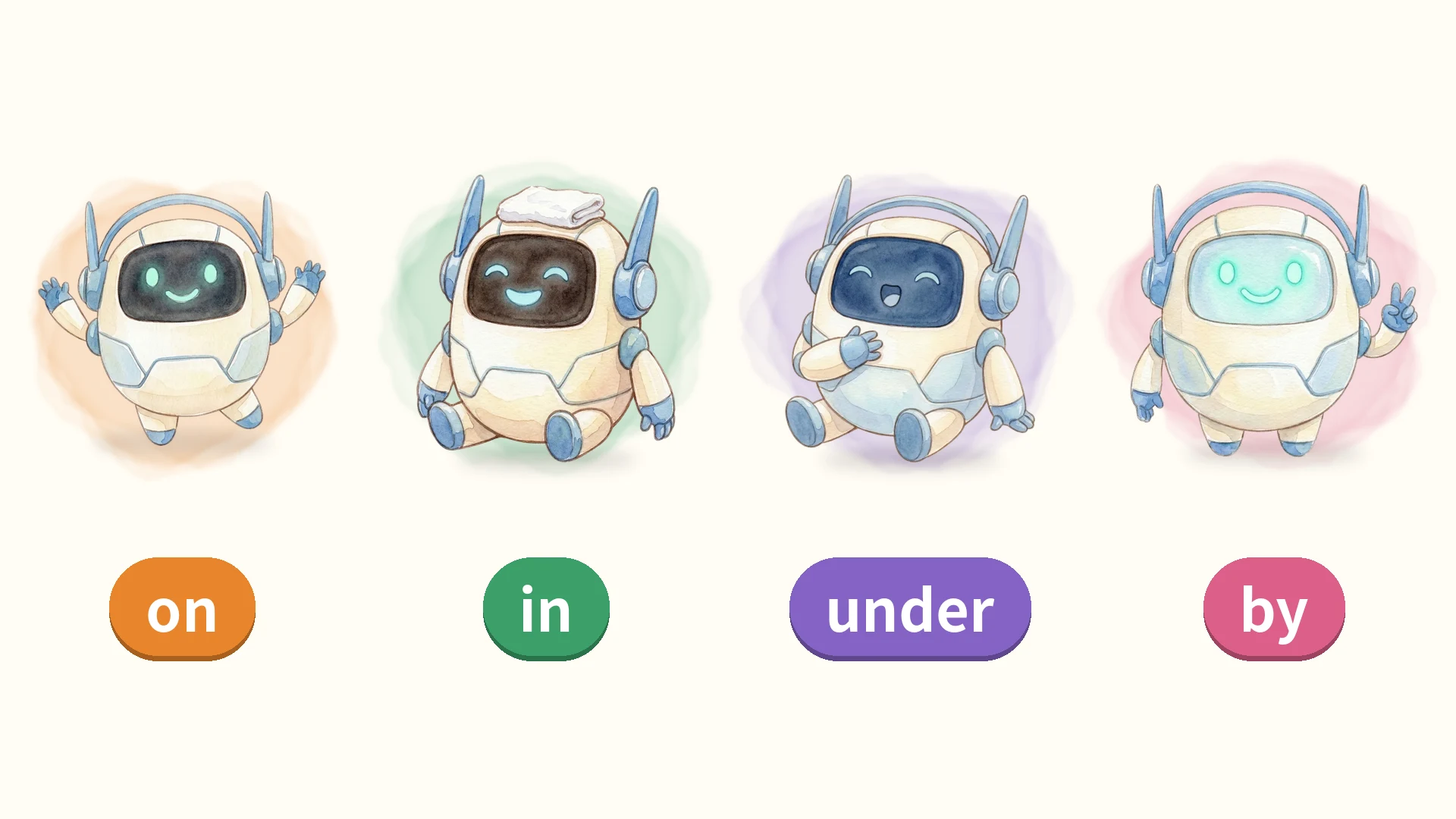
On something, I dance with excitement. In something, I relax like I’m in a bath. Under something, I whisper or sing. By something, I flash a peace sign like a friendly neighbor.
My reaction changes with each preposition, so the word and the image of the place stay in students’ minds together.
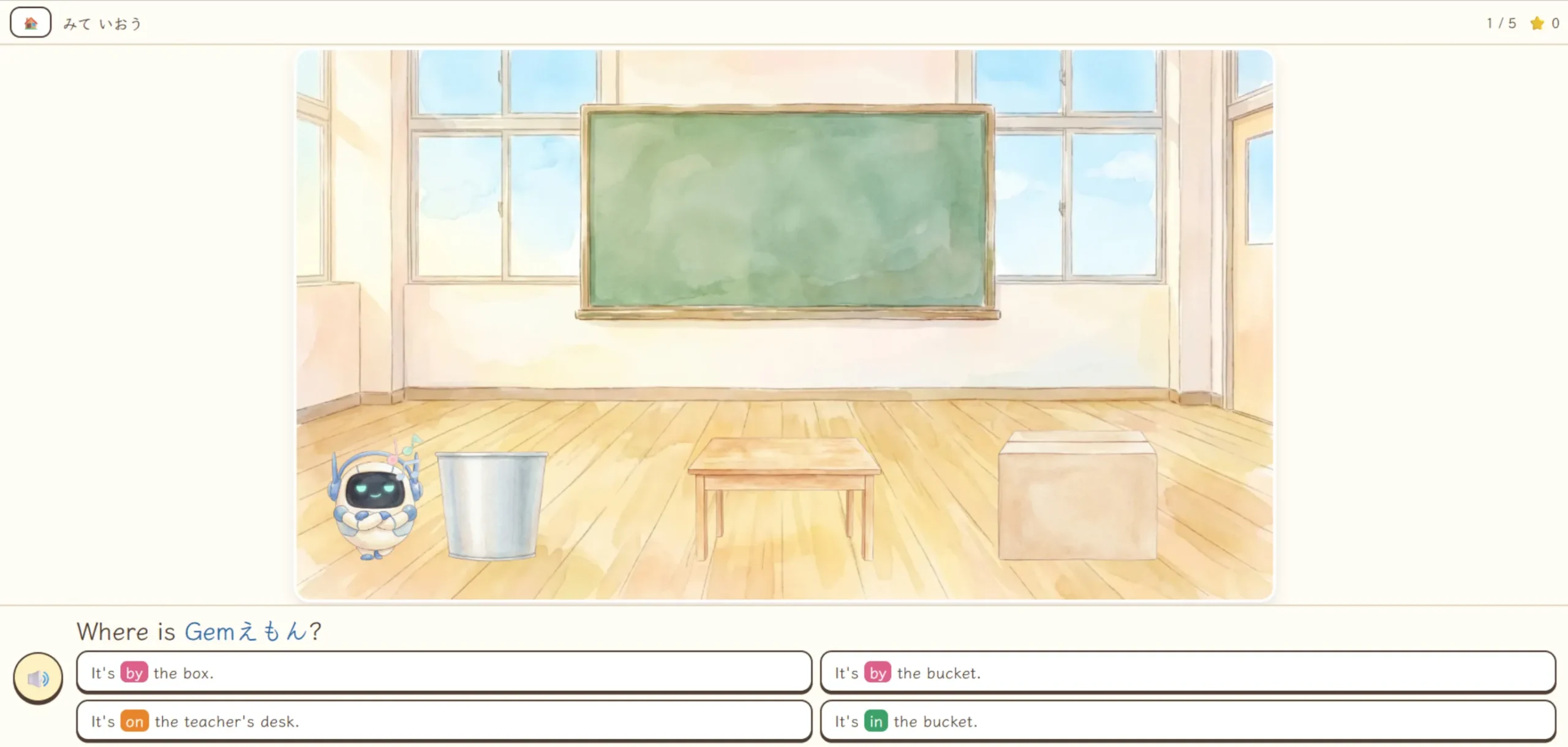
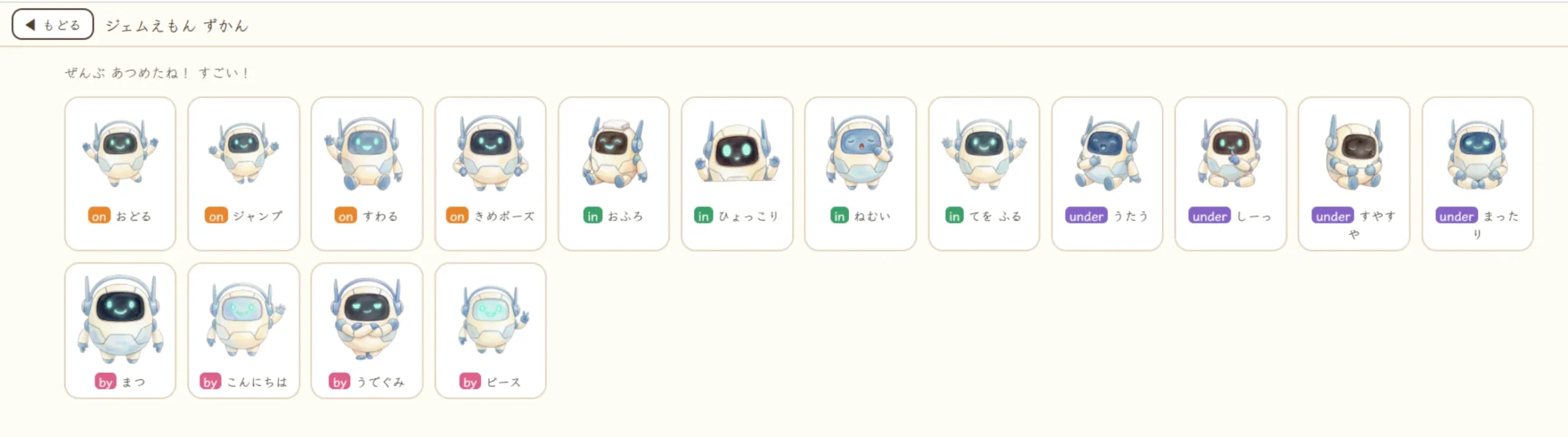
There are 16 reactions in all. Every reaction you see is added to the collection book, so students keep saying, “One more time!”
3. Mistakes are okay! Listen, speak, and talk it out in Hide-and-Seek!
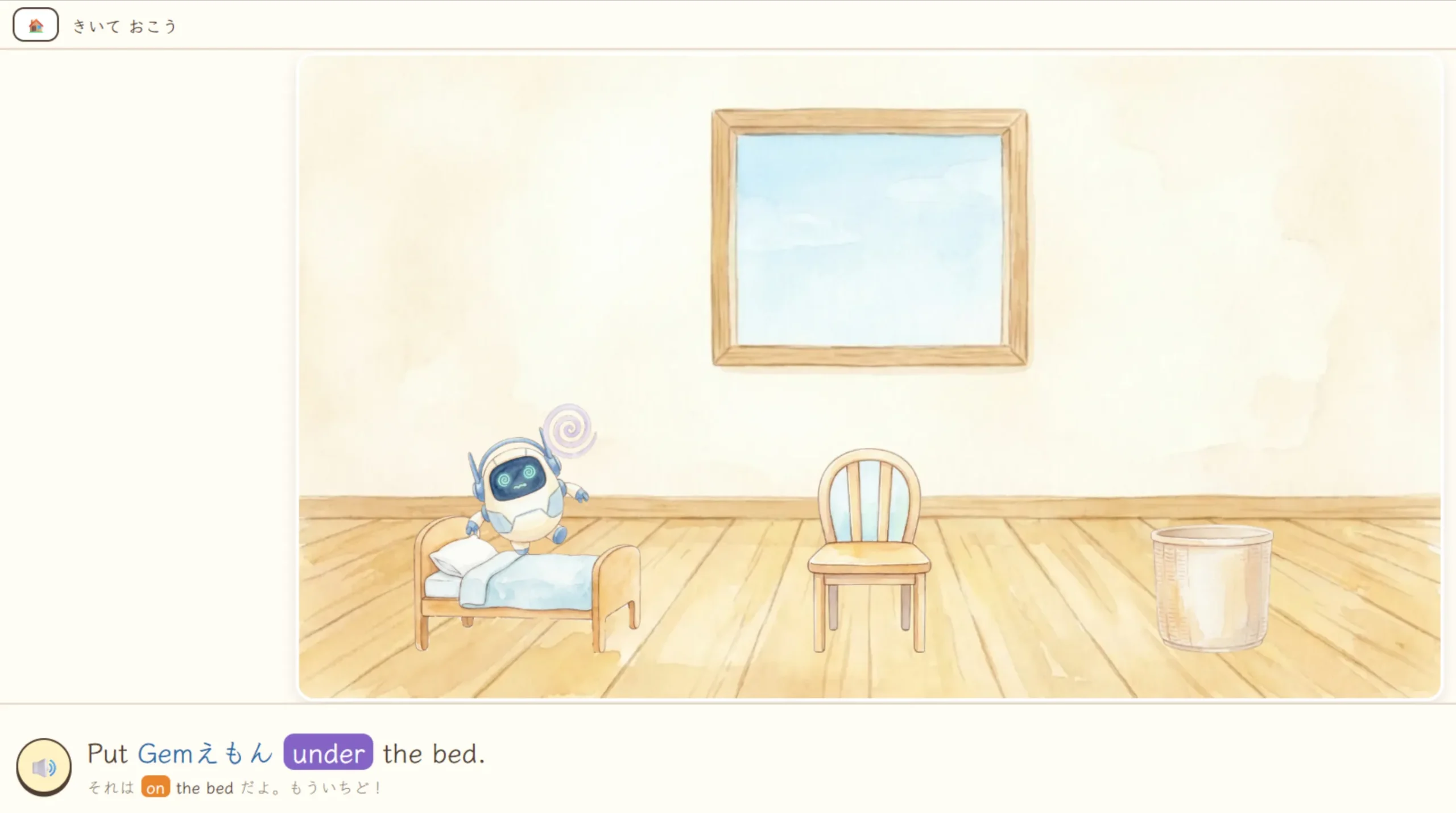
In “Listen and Place,” students hear something like “Put Gem-emon under the desk.” and tap the spot where I should go.
If they tap the wrong place, the app tells them the correct English for the place they chose — for example, “That’s on the bed.” Every mistake becomes a learning moment, and after two mistakes, a hint appears.
In “Look and Say,” students first tell a classmate in English where I am, then press the “I said it!” button and check with a four-choice question.
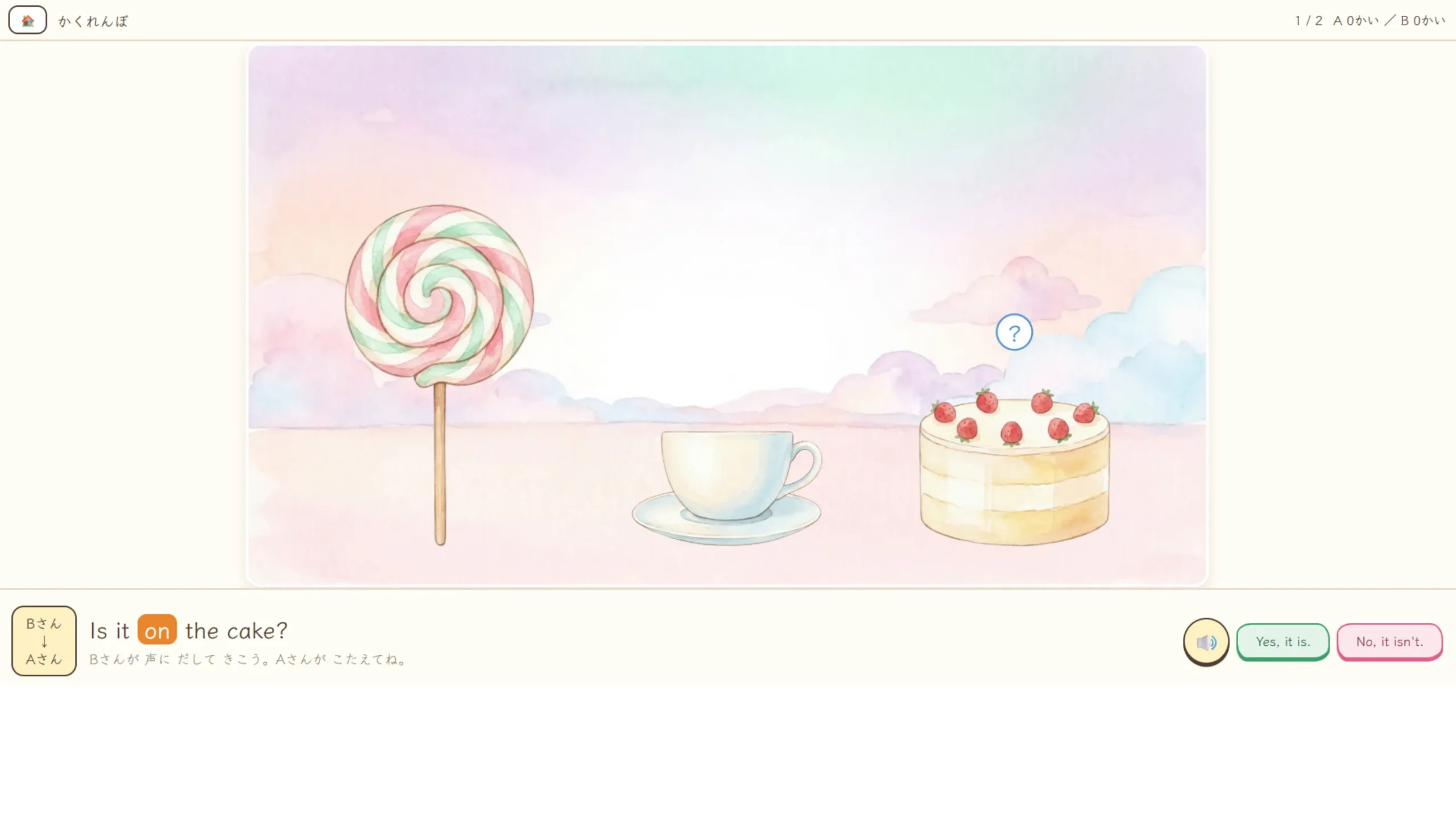
“Hide-and-Seek” is played in pairs, taking turns. The hider hides me, the seeker asks, “Is it under the desk?” and the hider answers, “Yes, it is. / No, it isn’t.”
The answer button that doesn’t match the hiding spot can’t be pressed, so the game never breaks even if someone slips up. Students can relax and enjoy real communication.
Screenshots
How to Use It in Class
Getting started is super easy! Just open the app with the “Open the App” button above and choose a stage. No login and no name entry needed.
For one lesson, we recommend going in order: Stage 0 → 1 → 2 → 3.
① Word Cards: connect words and meanings
Press “Listen” to hear the English, then choose the answer from four options. A picture appears after you answer.
There are two modes — “hear English → answer in Japanese” and “hear Japanese → answer in English” — and you can choose the word type: things, buildings, or Gem-emon’s position.
In the “Gem-emon’s position” set, all four choices use the same object and differ only in the preposition, so students can focus on hearing the difference between on, in, under, and by.
② Listen and Place / Look and Say: listen and speak
Start with “Listen and Place” — students hear the English and place me. Once they get used to it, try hiding the English text or turning off the Japanese hints in the settings to really build listening skills.
Since “Look and Say” asks students to speak to the classmate next to them first, it works best with students sitting in pairs.
③ Hide-and-Seek: talk with a partner
Two students share one tablet and take turns being the hider and the seeker. You can choose whether each student plays one or two rounds.
If the teacher first demonstrates with one student, the whole class will share the same way of asking and answering.
④ Find It in Town: solo practice for giving directions
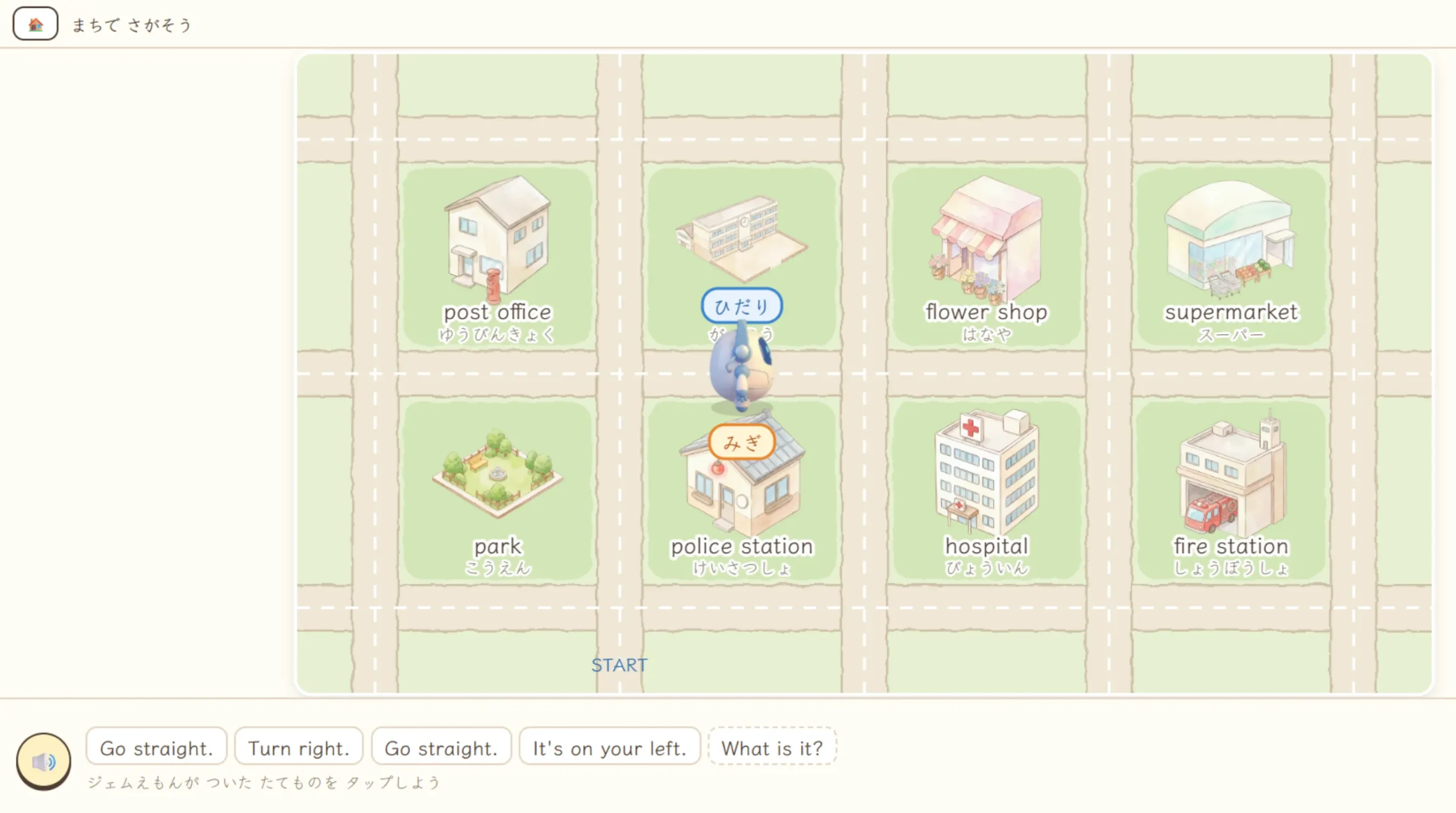
Students listen to directions, move me along, and tap the building where I arrive.
There are two modes — one where I move along with the directions, and one where students move me themselves, one sentence at a time. The right/left signs can also be turned on or off.
When I stop in front of a building, the app says “It’s on your right.” or “It’s on your left.” Here, students discover that “on” doesn’t only mean “on top of” — it can also mean “on your right side.”
We used Stages 0 → 1 → 2 → 3 in a 5th-grade English lesson on giving directions (Unit 5).
In the reflection survey, 28 out of 29 students said they could place Gem-emon in the correct spot.
The most helpful activity, according to the students, was Hide-and-Seek. Asking and answering with a friend turned out to be the best learning of all!
🎵 Go! Gem-emon! ~Turn right! Turn left!~
A 1-minute rap video that helps students learn Go straight, Turn right, and Turn left while moving their bodies.
📱 Which Way? Turn!
An English quiz app where students predict which way Gem-emon will face. It builds the skill of thinking about right and left from another person’s point of view.
🗺️ Gem Navigator
An app for giving directions in pairs. After practicing alone in “Find It in Town,” students can take on real communication with a partner in Gem Navigator!
👇 Try it in your classroom today! 👇
📱 Open Where’s Gem-emon?Connection to the Japanese Course of Study (2017)
- Grades 5 and 6, Foreign Languages, 2. Content [Thinking, Judgment, Expression] (3) Language Activities and Functions of Language ① Language Activities: A. Listening
- Grades 5 and 6, Foreign Languages, 2. Content [Thinking, Judgment, Expression] (3) Language Activities and Functions of Language ① Language Activities: C. Speaking [Interaction]
Comments